

How to get Salesforce Lightning event label to controller?
The below code is a sample component, is having one attribute for message, and has 2 lightning buttons.
Wants to display the button label on Lighting component.
Controller:
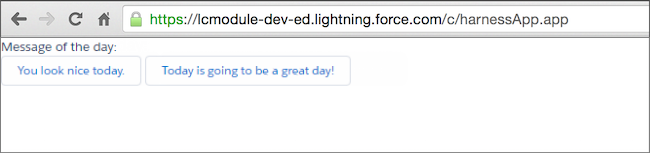
Component Displays:
The below code gets Button
The below code gets Button label
The below code updates the attribute named "message"
Source: trailhead.salesforce.com
Wants to display the button label on Lighting component.
 <aura:component>
   <aura:attribute name="message" type="String"/>
   <p>Message of the day: {!v.message}</p>
   <div>
     <lightning:button label="You look nice today."
       onclick="{!c.handleClick}"/>
     <lightning:button label="Today is going to be a great day!"
       onclick="{!c.handleClick}"/>
   </div>
 </aura:component>
Controller:
 ({
   handleClick: function(component, event, helper) {
     var btnClicked = event.getSource();     // the button
     var btnMessage = btnClicked.get("v.label"); // the button's label
     component.set("v.message", btnMessage);   // update our message
   }
 })
Component Displays:
The below code gets Button
var btnClicked = event.getSource(); // the button
The below code gets Button label
var btnMessage = btnClicked.get("v.label"); // the button's label
The below code updates the attribute named "message"
component.set("v.message", btnMessage); // update our message
Source: trailhead.salesforce.com


